Bumping into AI tools when designing website
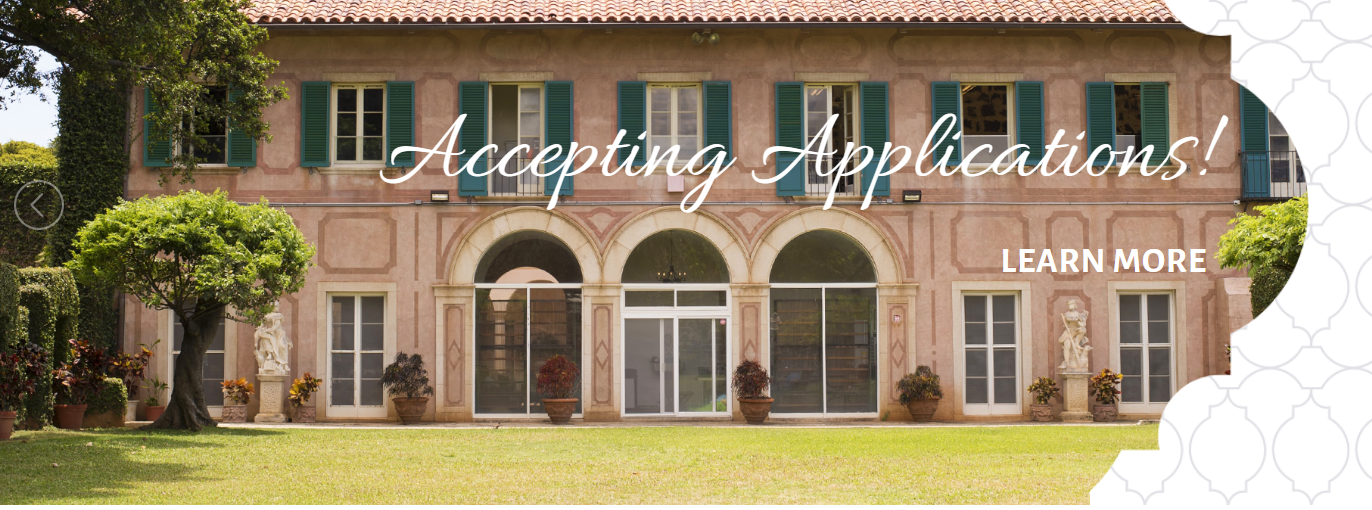
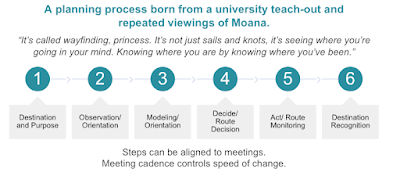
I have joined the Grand Challenges in Assessment Project (GCiA) Implementation Team in 2021. Over the years, my team and I feel that we do not always know where the project is and where we are going. Reflecting on my personal work habits, I know that I heavily rely on my center's website to document my work and track projects. It just happened that I had a day free of meetings. I ventured into editing the project page: Pedagogical Improvements that I has been leading. It looked like any other project page with just the project goals. See an example from the Drive Innovation team page:

But I do not know how to build webpages in Google Site, the flatform for hosting the GCiA project. So I taught myself by watching this 22 minute tutorial: How to use Google Site with Domain. I learned:
- How to change the fivicon on the site
- How to add pages and subpages
- How to select layout and add images
- How to add collapsible content and table of content.
Here I give the my project site a face lift:

I created a Gmail account for the project (assessmentgrandchallenges@gmail.com) and bought a Google Domain (gcinassessment.org) as sandbox to see whether I can transfer the existing site to this domain. The long story short: I can't. I can forward people to the existing website when people visit gcinassessment.org. But the URL that people will see would be this long Google site address: https://sites.google.com/wfu.edu/grandchallengesinassessment/about-us?authuser=0. This defeats the purpose of paying for and creating the domain name for the project. You also cannot copy and paste individual pages. You have to copy and paste individual elements. So, I have to start from scratch!
Then I begin to realize that I want more advanced features like having the content on a page sortable or searchable by keywords like our poster exhibit site. I searched several Youtube tutorials in vail. One thing useful that I learned: if you upload the same image back to the site after downloading it from the original site, the image size is smaller and thus easier to load. That being said, I learned some fancy stuff about using AI tools through this YouTube video: How to use AI Art and ChatGPT to Create a Insane Web Designs.
ChatGPT
ChatGPT by OpenAI provide intelligent and sensible responses through sourcing a large database of information using natural language models. I am excited about this because when I graduated from Second Language Studies in 2010, the field of natural language processing was still pretty new. The free version include database of information dated in 2021 and earlier. I installed the app on my iPhone, and tested it out.
Suggesting free image sources: Upsplash (unspalsh.com), Pixabay (pixabay.com), pexels (www.pexels.com), freepik (freepik.com), and Burst by Shopify (burst.shopify.com). ChatGPT also describes number and types of images each have and can be used for.
Constructing a website. Even though not perfect, if you instruct the ChatGPT to give you an outline of a website, it searches websites on similar topics and can give you a sensible outline. Use this command: "Give me an outline of a website on the topic of XXX for higher education audience." You can even ask it to provide content for each topic that it listed. I used this feature to remind me of the topics that I haven't thought of before.
phind.com
This search engine can use more up-to-date information and the latest model of ChatGPT to answer your questions. If you create an account and sign in, you can "Use Best Model" for 25 searches every 4 hours. For each question, not only does it provide an intelligent answer, it also lists the sources that it searched. You can ask follow up questions so it remembers what it was asked before. When you log in, you can see a track record of the questions that you asked. I used the content generated based on what I knew as creditable or I went to the source sites to check it out. Overall, it can be very useful.
Midjourney
Midjourney AI art generator creates pictures, arts, or website design layout based on your specification. Join the discord community. Go to one of the newbies rooms and type in the command /image, followed by a description of what you want (e.g., a cat in hat). It is still in beta and supposed to be free. But when I used it, it asked me to pay to subscribe due to high demand. The cheapest option is $8/month for 200 generations. Inspired by the concept of AI generated art, I tried to download an app AI ARTA on my phone but I hated it because the ads just pop up every time you want to generate an image or randomly. For now, I gave up on AI generated art.
With excitements and disappointments, I am overall intrigued by the idea of AI generated designs and content. My husband is an IT specialist, he said that there could be an option that you can download the databased and server on your own computer to run it without restrictions. If I ever try that, I will provide an update.

Comments
Post a Comment